A yoga laptop can support focused work, easy travel, and the small routines that help you feel grounded. But Lenovo Yoga is a family of portable laptops and 2-in-1 devices, not one single model. The right choice depends on what you do each day, how often you travel, your budget, and the screen size you prefer.
Maybe you write and join video calls from home, then catch up on projects during a train ride. Or perhaps you need a larger display for creative work and a lighter device for frequent trips. This guide will help you compare Lenovo Yoga models, understand the specifications that matter, and build a practical shortlist that fits your habits.
A laptop can make work more flexible, but it cannot replace stepping away from a screen, stretching, or taking a mindful breath. Think of it as one helpful tool within a balanced routine. And as you explore ways to bring more balance into everyday life, Joyous Yoga is here to support your path.
Start With Your Work, Travel, and Practice Needs
Before comparing Lenovo Yoga models, take a moment to picture an ordinary workday. A laptop for documents, browsing, email, and video calls has different needs from one used for photo editing, software development, or large media projects. The first set of tasks usually calls for a comfortable keyboard, a clear screen, reliable video calls, and enough memory for everyday multitasking. More demanding creative or technical work may benefit from a stronger processor, more memory, and ample storage.
Your work setting matters, too. Do you spend most of the day at a fixed desk, or move between shared spaces, trains, home, and a studio? If you carry your laptop often, a lighter device can make the journey feel easier. If it mostly stays on a desk, a larger display may be worth the extra weight, especially when you work with multiple windows or find small text tiring to read.
Comfort is personal, so consider the details you’ll notice every day. Check whether the screen is readable in your usual lighting, and whether the keyboard feels good for long writing sessions. If you join frequent video calls, look for webcam quality that helps you feel clear and present. Accessibility needs, such as larger text or a display that’s easier to view, deserve a place on your list from the start.
For yoga instructors, work may happen across several settings, from planning classes at home to connecting with students on the go. Exploring the roles and work settings for yoga instructors can help you picture which tasks your laptop might support. A yoga laptop should fit your real routine, not an imagined perfect one.
To make choices simpler, sort your needs into three groups:
- Must-haves: The essentials for your daily work, such as a readable screen, dependable video calls, or enough power for editing.
- Useful extras: Features that would make work or travel more comfortable, such as a larger display, touchscreen, or longer battery life.
- Easy to skip: Features you’re unlikely to use, especially if they add cost, weight, or complexity without supporting your routine.
This small exercise can help you compare models with more confidence. It also keeps your priorities grounded in how you work, travel, and make space for wellness each day.
Understand the Lenovo Yoga Lineup and 2-in-1 Designs
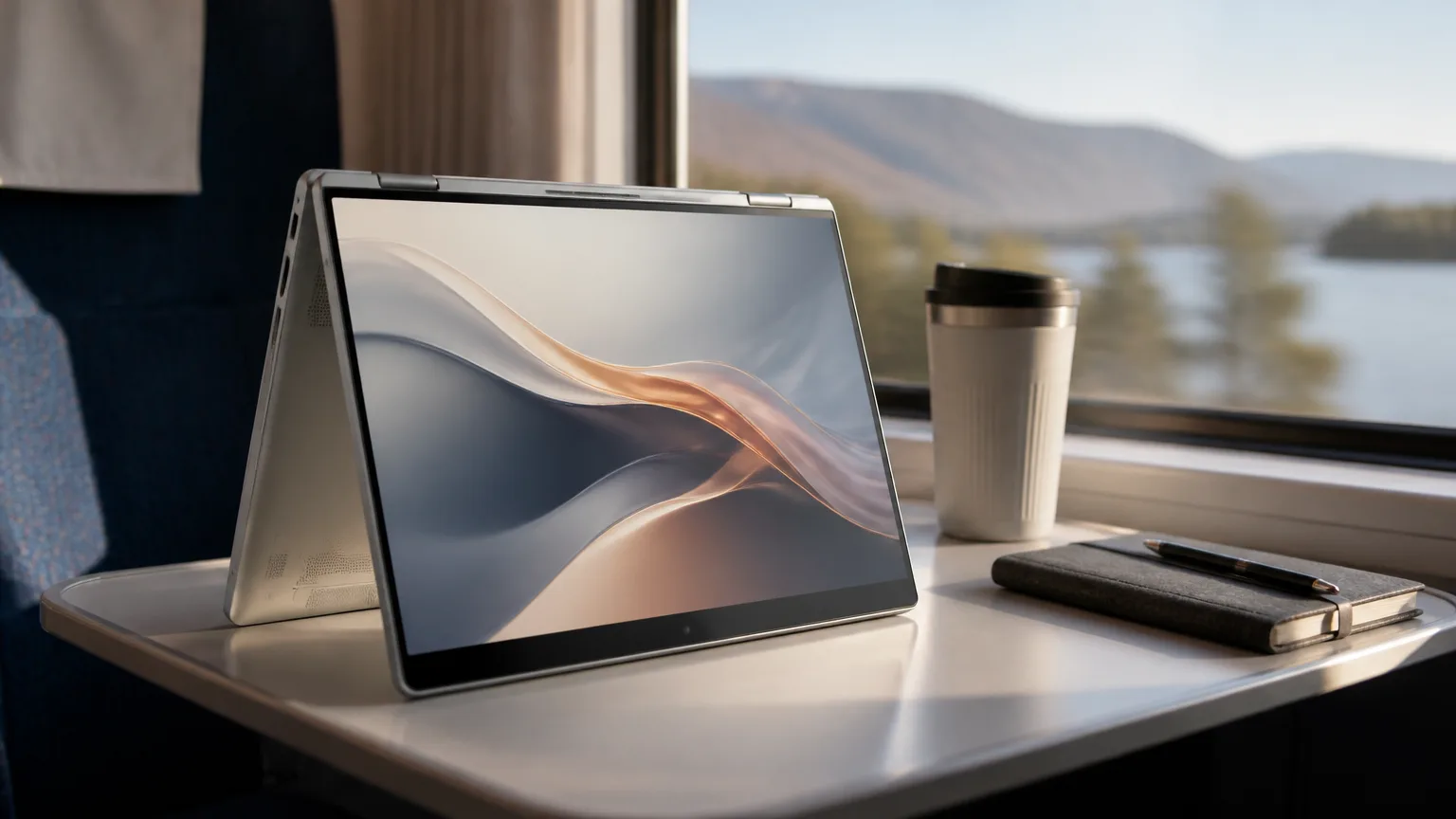
The Yoga name covers several kinds of Lenovo laptops, not one standard design. Some Yoga models are traditional clamshells, with a screen that opens and closes like a book. Others are convertibles with a 360-degree hinge, so the display can fold back for tablet, tent, or stand mode.
A clamshell may be a good fit if you mostly type, join video calls, and travel with your laptop tucked in a bag. It often offers the straightforward feel many people want for everyday work. A convertible can be more flexible, but its hinge and touch-enabled screen may add weight or cost.
Consider how you would use the extra modes in a typical week. Tent or stand mode can be handy for sharing a presentation, following a recipe, or watching a video in a small space. Tablet mode may feel useful for reading or marking up a document, but a larger convertible can be less comfortable to hold for long periods.
A touchscreen can make scrolling and navigating feel intuitive, especially when you are standing or showing something to another person. Pen support can help with handwritten notes, document annotations, and sketches. Check that the exact configuration supports a pen, and whether one is included; a touchscreen does not always mean pen support is available.
If you would rarely touch the screen, fold the display, or use a stylus, those features may not earn their place in your budget or travel bag. A lighter clamshell could suit your routine better. The best yoga laptop is the one that supports your work without adding features you will seldom use.
Yoga families and specifications also change over time. Names such as Slim, Pro, or 2-in-1 can suggest a design or intended use, but they do not tell the whole story. Before buying, compare the exact model number and configuration, including screen size, processor, memory, storage, weight, ports, and included accessories. Two laptops with similar family names can differ in important ways.
Think about your own rhythm: Do you annotate meeting notes, present from your laptop, or read on screen during travel? Or do you mainly type at a desk and need a dependable device for the journey there? Matching the design to your habits is a little like choosing beginner-friendly yoga poses that meet you where you are: practical, comfortable, and suited to your needs.
Choose the Right Processor, Memory, and Storage
Once you know what shape and features suit your routine, look at the components that influence everyday performance. A higher price does not always mean a better fit. The goal is to choose a Lenovo Yoga that feels responsive for the work you actually do, without paying for power you are unlikely to use.
The processor, or CPU, handles instructions and helps determine how smoothly demanding tasks run. If your work mostly involves email, documents, video calls, and browsing, a midrange processor may be plenty. Editing large videos, working with complex creative software, or running several demanding applications at once can benefit from a more capable chip.
Think about how you multitask, too. A processor that handles one task well may feel less responsive when several demanding programs are open together. Before choosing, check current benchmarks and reviews for the specific Lenovo Yoga configuration you’re considering. Models with similar names can use different processors, and real-world tests can show how they perform under workloads like yours.
Memory, usually listed as RAM, affects how comfortably your laptop keeps multiple applications and browser tabs available at once. With too little, switching between a video call, a spreadsheet, and research tabs may feel sluggish. Choose enough for your expected use, allowing a little room for the way your workload might grow over the next few years.
Upgrade options are worth checking before you buy. Some Yoga models let you add or replace memory, while others have RAM soldered to the motherboard. If it cannot be upgraded later, choose a configuration that suits your needs from the start. Checking the detailed specifications can help you avoid an expensive surprise.
Storage is where your apps, documents, downloads, and other files live. Most current laptops use a solid-state drive, or SSD, which helps the system start quickly and makes apps feel responsive. Capacity matters more as your collection grows: consider whether you keep many photos, videos, or work files on the laptop, or rely on cloud storage instead.
If you travel often, remember that cloud files may need an internet connection unless you download them beforehand. A larger SSD can offer convenience, while cloud storage can help keep a smaller drive uncluttered. For a large media library, an external drive may be a practical, lower-cost way to carry extra files without paying for more internal capacity.
As with memory, storage may not be replaceable or expandable on every model. Confirm the exact configuration and upgrade options before purchase, rather than assuming you can add space later. Comparing these choices with a mindful approach to money and spending can help you invest in the features that support your work and travel, while keeping room in your budget for what matters beyond your yoga laptop.
Compare the Display, Keyboard, Webcam, and Ports
Once you know which design and storage fit your routine, consider the features you’ll interact with every day. A comfortable screen and keyboard can make focused work feel easier, whether you’re writing at home or catching up between travel plans.
Screen size involves a balance. A larger display gives you more room for documents and video calls, while a smaller one is often easier to carry and use on a tray table. Brightness matters, too: a screen that works well indoors may be harder to see near a sunny window or outdoors. Check the display specifications for the exact Lenovo Yoga model, including resolution and brightness, rather than relying on the series name alone.
If you write for long stretches, try the keyboard in person when possible. Key travel, spacing, and feedback are personal, and a few minutes of typing can reveal whether the layout feels natural. Check the trackpad’s size and responsiveness as well; smooth, reliable navigation can be especially helpful when you’re working without a mouse.
For remote meetings, webcam and microphone quality deserve a place on your checklist. Look for details about camera resolution and sound, and consider whether privacy shutters or camera controls would give you extra peace of mind. If possible, read hands-on reviews that assess image and audio quality in everyday lighting and noisy spaces.
Ports shape how easily your laptop fits into your workday. List the connections you regularly use, such as USB-A for older accessories, USB-C for charging or newer devices, HDMI for an external display, and an audio jack for headphones. Port selection varies by model, so check the exact configuration before buying. A slim yoga laptop may leave out a connection you need, making an adapter or hub part of your travel kit.
Think through a typical day: Do you connect to a monitor, plug in a headset, or transfer files from a USB drive? Choosing ports around those habits can save small but frequent hassles. It also leaves more room to step away from screens and enjoy meaningful moments, whether that means a stretch break or trying partner yoga poses with someone you care about.
Judge Battery Life, Weight, and Travel Readiness Together
A laptop can look light on a product page but feel heavier once you add its charger, cables, and other essentials. Compare the total carry weight with the bag you use every day. If you often move between home, the office, and a café, even a small difference can matter over a long day.
Battery estimates are useful for comparison, but they depend on conditions. Screen brightness, video calls, demanding apps, and wireless use can all shorten runtime. Look for independent tests that resemble your workload, and note the brightness and settings used. A yoga laptop that lasts through a day of light browsing may need a midday charge during meetings or creative work.
Check how each model charges, too. USB-C charging can make it easier to share a charger with other devices, but confirm that the laptop supports the charger you plan to carry. Consider the adapter’s size and weight, whether a compact compatible charger is available, and how easy it will be to find an outlet during your usual travels.
Travel readiness includes the small moments between destinations. Does the laptop reconnect to Wi-Fi reliably in places where you work? Does it wake quickly from sleep, or do you lose time waiting to sign back in and reopen your work? If you expect to work on a train or in an airport, check that the screen and keyboard feel comfortable in cramped spaces and that your device fits securely in your bag.
Durability deserves attention when your laptop travels often. Look for sturdy construction and a hinge that feels stable, especially if you plan to use a Yoga model in different modes. A protective sleeve can reduce everyday bumps, but it adds weight and takes up space. Check whether your preferred bag has a padded laptop compartment and room for the charger.
Finally, review support before you buy. Warranty coverage can differ by region, and standard plans may not cover accidental drops or spills. Read the terms for accidental-damage protection, including exclusions, repair processes, and any service fees. Knowing where repairs are available can offer reassurance when work takes you away from home.
Think through one realistic travel day: how long you’ll work unplugged, what you’ll carry, and where you might need to connect. This practical check can help you choose a device that supports your routine without adding unnecessary strain. Then you can move between workspaces with a little more ease—and keep room in the day for a breath, a stretch, or a moment of calm.
Set a Budget and Compare the Exact Configurations
Once you know which features support your routine, set a spending ceiling before browsing. Leave a small amount aside for a protective sleeve, travel accessories, or an adapter you may need. This makes it easier to compare a yoga laptop’s full cost, not just its price on the product page.
Compare devices with similar specifications, even when they share the same Lenovo Yoga model name. Processor, memory, storage, display, and operating system can differ between configurations. Check the warranty and included accessories, too: one option may come with a charger or longer coverage that another does not.
Sale prices can make comparisons less straightforward. Look at the discount on the exact configuration you want, and compare it with current prices for similarly equipped models. A lower price may reflect less memory, a different display, or shorter warranty coverage—not necessarily a better deal.
Think about total ownership value as well as the initial cost. Consider how long the warranty lasts, whether repairs are practical, and whether the included charger suits your travel needs. If a configuration requires adapters for your everyday connections, include their cost and the extra items you’ll carry.
Most of all, let your priorities guide the purchase. If you mainly write, browse, and join video calls, a top-tier processor or premium display may not improve your day enough to justify the price. A more expensive configuration is not automatically a better fit; the right choice is one that meets your needs, stays within budget, and leaves room for the rest of your life.
Frequently Asked Questions
Is a Lenovo Yoga a good choice for work?
It can be, but the best fit depends on the specific configuration and the applications you use. A model suited to email, documents, and video calls may not be enough for demanding design or editing software. Check the recommended specifications for your everyday work before choosing.
Do I need a 2-in-1 touchscreen?
Only if tablet, tent, touch, or pen use would add value to your routine. For example, folding the screen back can be handy for reading or watching a presentation, while a pen may help with notes or sketches. If you mostly type at a desk, a standard laptop design may suit you just as well.
How much memory should I choose?
Match memory to your multitasking needs. If you often keep many browser tabs and work apps open, more memory can help keep things running smoothly. Check whether the model’s memory can be upgraded later; on some laptops, it is fixed.
Can I rely on the advertised battery life while traveling?
Treat advertised battery life as an estimate, not a guarantee. Your screen brightness, apps, video calls, and wireless connections can all affect how long a charge lasts. Look for independent tests of a comparable configuration and workload, and consider whether you’ll have chances to recharge.
What should I prioritize in a travel Yoga?
Balance weight with real-world battery performance, a screen that’s comfortable to use, and ports that suit your accessories. Also check warranty support for the places where you’ll use the laptop. A lightweight yoga laptop may be easier to carry, but the best travel choice is the one that supports your work without adding avoidable hassles.
Choose the Yoga That Fits Your Actual Day
Start with the work you actually do: writing, video calls, creative projects, or a mix of tasks on the go. Compare exact configurations, not just model names, and choose the lightest, most capable yoga laptop that meets those needs within your budget. The best choice supports your work and travel patterns without paying for features you’re unlikely to use.
Before buying, check current specifications, independent reviews, warranty terms, and return policies. Then create a comfortable work setup wherever you land—and remember to step away from the screen for a mindful breath, a stretch, or a little movement.